

Organizing CAT5E LAN cables in a network rack is a crucial task that can significantly impact the performance, manageability, and longevity of your network infrastructure. As a reputable CAT5E LAN cable supplier, I understand the importance of proper cable organization and its role in ensuring a reliable and efficient network. In this blog post, I will share some practical tips and best practices on how to organize CAT5E LAN cables in a network rack.
1. Plan Your Cable Routing
Before you start installing cables, it's essential to have a clear plan for cable routing. This involves determining the location of network devices, such as switches, routers, and servers, and planning the path that the cables will take to connect them. Consider the following factors when planning your cable routing:
- Device Placement: Arrange network devices in a logical and organized manner to minimize cable length and reduce the risk of cable congestion. Group similar devices together and leave sufficient space between them for ventilation and easy access.
- Cable Path: Identify the most direct and efficient path for the cables to follow. Avoid sharp bends, kinks, and twists, as these can degrade signal quality and increase the risk of cable damage. Use cable trays, raceways, or cable management arms to support and guide the cables.
- Labeling: Label each cable at both ends with a unique identifier, such as a number or a name. This will make it easier to identify and trace cables during installation, maintenance, and troubleshooting.
2. Use Cable Management Tools
Cable management tools are essential for keeping your CAT5E LAN cables organized and tidy. Here are some commonly used cable management tools:
- Cable Ties: Cable ties are a simple and effective way to bundle cables together and keep them organized. Use cable ties of the appropriate size and strength to secure the cables without causing damage.
- Cable Clips: Cable clips are used to attach cables to cable trays, raceways, or other surfaces. They come in various sizes and styles to accommodate different cable diameters and installation requirements.
- Cable Racks: Cable racks are used to support and organize cables in a network rack. They provide a stable and secure platform for cable management and help to prevent cable tangling and congestion.
- Cable Management Arms: Cable management arms are used to support and route cables between network devices. They are adjustable and can be positioned to provide the best possible cable routing and access.
3. Follow Cable Installation Best Practices
Proper cable installation is crucial for ensuring the performance and reliability of your CAT5E LAN cables. Here are some best practices to follow when installing CAT5E LAN cables:
- Avoid Overbending: CAT5E LAN cables have a minimum bend radius, which is the smallest radius that the cable can be bent without causing damage. Make sure to follow the manufacturer's recommendations for the minimum bend radius when installing the cables.
- Keep Cables Separate: Keep power cables and data cables separate to avoid electromagnetic interference (EMI). Use cable trays or raceways to separate the cables and ensure that they are not in contact with each other.
- Use Proper Connectors: Use high-quality connectors that are compatible with your CAT5E LAN cables. Make sure to terminate the cables correctly and use a cable tester to verify the connection.
- Leave Slack: Leave some slack in the cables to allow for future changes or maintenance. This will make it easier to move or replace devices without having to re-route the cables.
4. Maintain Your Cable Organization
Once you have organized your CAT5E LAN cables, it's important to maintain the organization to ensure the continued performance and reliability of your network. Here are some tips for maintaining your cable organization:

- Regular Inspections: Conduct regular inspections of your network rack to check for any signs of cable damage, loose connections, or cable congestion. Address any issues promptly to prevent them from escalating.
- Cable Cleanup: Remove any unused or damaged cables from the network rack to reduce clutter and improve cable management. This will also make it easier to access and maintain the remaining cables.
- Documentation: Keep a detailed record of your cable organization, including cable routing, labeling, and device connections. This will make it easier to troubleshoot problems and make changes to the network in the future.
5. Choose the Right CAT5E LAN Cables
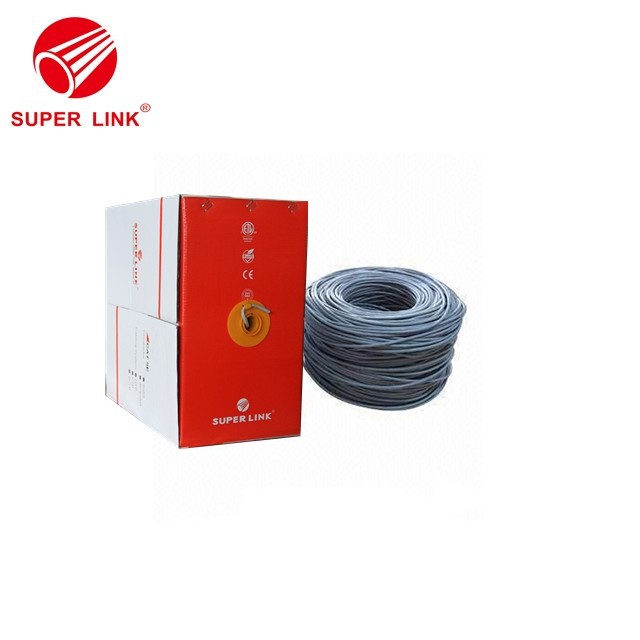
As a CAT5E LAN cable supplier, I offer a wide range of high-quality CAT5E LAN cables to meet your specific needs. Here are some of the benefits of choosing our CAT5E LAN cables:
- Reliable Performance: Our CAT5E LAN cables are designed to provide reliable performance and high-speed data transmission. They are tested to meet or exceed industry standards and are backed by a warranty.
- Durable Construction: Our CAT5E LAN cables are made from high-quality materials and are built to last. They are resistant to damage from environmental factors, such as moisture, heat, and UV radiation.
- Easy Installation: Our CAT5E LAN cables are easy to install and can be terminated using standard tools and techniques. They are also available in a variety of lengths and configurations to meet your specific needs.
If you are looking for high-quality CAT5E LAN cables, I recommend checking out our HOT SALE FLUKE PASS SFTP CAT5E Lan Cable, Good Price High Quality FTP Cate5e, and Lan Cable FTP Cat5e For Outdoor. These cables are designed to provide reliable performance and are suitable for a variety of applications.
Conclusion
Organizing CAT5E LAN cables in a network rack is a critical task that requires careful planning, proper installation, and regular maintenance. By following the tips and best practices outlined in this blog post, you can ensure that your CAT5E LAN cables are organized, tidy, and performing at their best. If you have any questions or need further assistance with cable organization or CAT5E LAN cable selection, please feel free to contact us. We are here to help you build a reliable and efficient network infrastructure.
References
- "Network Cabling Installation Best Practices," Cisco Systems, Inc.
- "CAT5e Cable Installation Guide," Panduit Corp.
- "Cable Management Best Practices," CommScope, Inc.